Rotate An Object Using Fixed or Specified Degree's of Rotation
A pop-up menu with additional menu items allows you to Rotate the selected object(s) through various predefined angles or through any angle you specify.
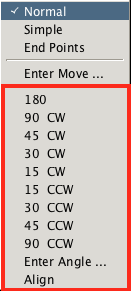
The Rotate command is executed as follows;
Select the object(s) to be rotated.
Click the Rotate button ( ) to activate the Rotate function.
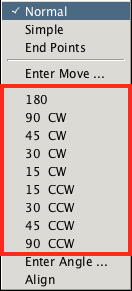
With the mouse pointer hovering over the point about which the object(s) are to be rotated, Shift+Right-Click to raise the Rotate menu then select the desired degree and direction of rotation from the list of predefined angles (180°, 90° CW, 45° CW, 30° CW, 15° CW, 15° CCW, 30° CCW, 45° CCW, 90° CCW).
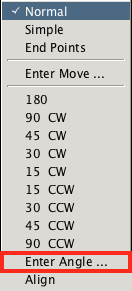
Alternately, any angle may be entered by Left-Clicking the Enter Angle... menu item
Select the object(s) to be rotated.
With the mouse pointer hovering over the point about which the object(s) are to be rotated, Shift+Right-Click to raise the Rotate menu and then select the Enter Angle... option.
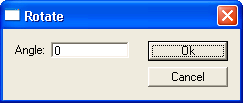
And then entering a desired angle in the Rotate dialog window that appears.
Rotation can also be achieved through use of one of these alternate methods;
- Left+Drag using the mouse. See Using Mouse for detail.
- Aligning the selected object with another object on the layout. See Aligned With Another Object for detail.
