Microsoft Windows
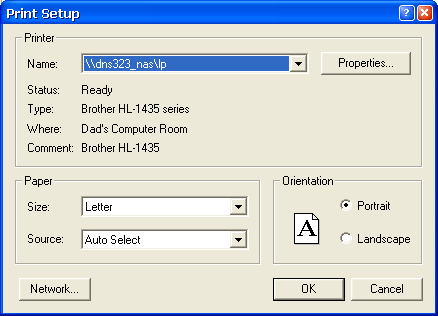
The Windows Printer Setup dialog allows you to configure the application's use of the printer.
The Printer Setup window contains:
- Name - a drop down list for selection of a particular printer. Entries in this list are defined by Windows.
- Status - the current status of the selected printer.
- Type - the type and model of printer selected.
- Where - The location of the printer if it's defined in the printers properties.
- Comment - Any comments defined that are defined in the printers properties.
- Paper Size - a list of various North American and European paper sizes.
- Paper Source - a list of various paper tray locations associated with the selected printer.
- Orientation - a Radio button to select either Landscape or Portrait format. This setting is ignored, use the Page Format entry on the Print dialog.
