The Custom Management dialog allows you change the properties of turnouts, sectional track, structures, car parts and prototypes you have designed with the Turnout Designer (Turnout Designer), Group (Group Dialog) or Car (Car Item Dialog) commands. You can also move selected objects to a Parameter File (Parameter Files).
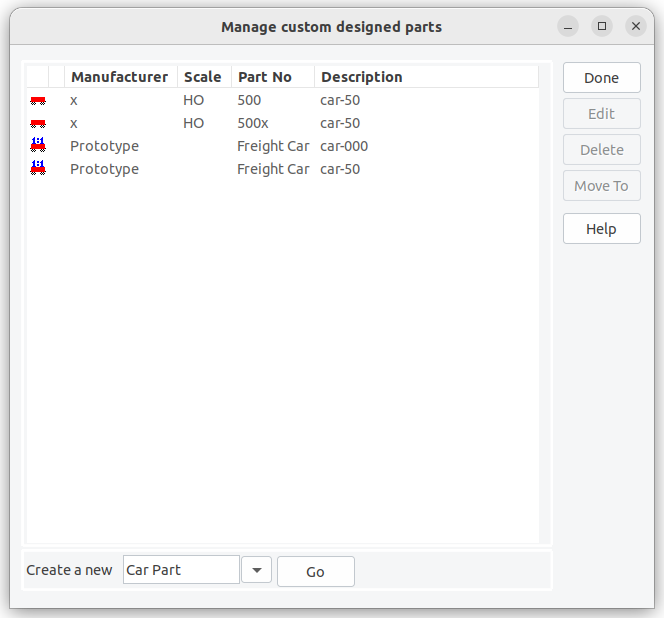
The Edit button invokes the appropriate designer or editor dialog for the selected item. This button is disabled if more than one (or no) object is selected.
- The Turnout Designer (Turnout Designer) is used to modify the selected turnout design. If you wish to modify cosmetic details on a turnout or sectional track use the Group (Group Dialog) command to add them to an existing definition.
- Structures and old Turnout Designs use the Rename Dialog to change the Manufacturer, Description or Part Number values. For these objects the Edit button's label changes to Rename. Structures are not edited using this dialog but by using the Ungroup (Ungroup) and Group (Group Dialog) commands.
- The Car (Car Item Dialog) dialog is used to modify Car Prototype and Car Parts.
The Delete button removes the selected entries from the xtrkcad.cus (Files and Directories) file when you exit the dialog.
The Move To button moves the selected entries to a Parameter File (Parameter Files). If the Parameter File does not currently exist than you will be prompted to supply a contents description line for the file. In case the parameter file already exists, the selected entries are appended to this file.
The New buttons invokes the Car (Car Item Dialog) dialog to create a new Car Prototype or Car Part.
