Price List
The Price List dialog allows entry of prices for Turnouts, Sectional Track and Structures. Only those objects from loaded Parameter Files (Parameter Files) or Custom Designs for the current Scale (Layout Dialog) are listed.
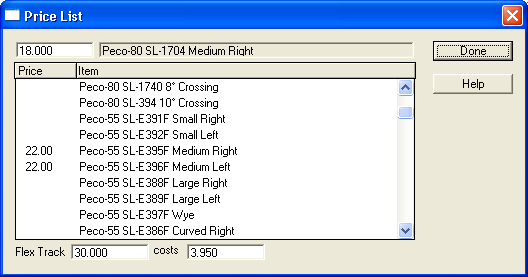
The price of a selected object can be changed in the Cost edit box that's located above the "Price" column.
The price of a length of Flex-Track for the current Scale (Layout Dialog) is listed at the bottom of the dialog. You can specify the Length in Inches or Centimeters. To specify the price for other Scales change Scale (Layout Dialog) on the Layout (Layout Dialog) window.
The Parts List (Parts List) dialog lists prices for selected objects if the Prices check box on the dialog window is selected.
