Adding Block Gaps
The Split command can be used to add block gaps (XTrackCAD Terms) at the point where two track endpoints join. Block gaps are drawn as a thick line and can be placed in either of the rails or both if total isolation is required.
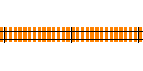
- No Block Gaps
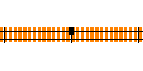
- Block Gap in top rail
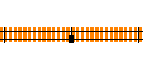
- Block Gap in bottom rail
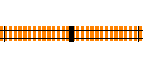
- Block Gaps in both rails
After starting the Split command use the Shift+Right-Click over a joint (with the blue "X" anchor showing) to display one of two pop-up menus which can be used to add, change or remove block gaps for the selected endpoint.

- This menu appears if track runs in a horizontal direction.

- This menu appears if track runs in a vertical direction.
For detail about;
- Disconnecting the joint between two sections of track see Disconnect Joint.
- Dividing a section of track into two connected pieces see Divide Track.
