The Track Lengths Report command lists, for each layer with any track on it, the total track length in feet, the turnout count, and the estimated car capacity – how many average freight cars (~44ft including couplers, Joe Fugate's operations-planning methodology, MRH Oct 2014) would fit end-to-end along that layer's track, scaled to the layout's own scale.
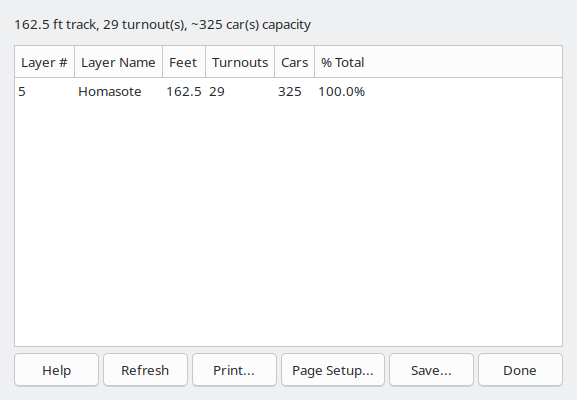
A summary line above the list gives the layout's total track length, turnout count, and total estimated car capacity, updated whenever the report is generated or refreshed. The turnout count includes crossings and slip switches along with ordinary turnouts – see the Turnout Density Report's note above (Turnout Density Report) for why.
Unlike the Parts List (Parts List) command, this report always covers the whole layout; it does not consider the current selection (Select). Like the Turnout Density Report (Turnout Density Report), this report has no click-to-navigate – it's a layout-wide statistic, not a list of specific locations to visit.
The Refresh button recomputes the report in place – useful after changing track elsewhere in the layout, without closing and reopening the report window.
The Save As... button opens a File Save dialog window that's used to name and save the report to a text file.
The Print button opens the Print dialog which is used to print the report.
The Filter... button (Filter Layers/Groups) opens a dialog to scope this report to specific Layers/Groups (Layer Groups Dialog) – every layer is included by default.
The Done button closes the Track Lengths Report window.
